Tokenomics in Your Terminal & AI Agent

Token unlocks move markets. Fundraising rounds tell you who's about to sell. Emissions decide whether a chart goes up or sideways.
But getting that data? Five tabs, three exports, and a half-finished spreadsheet.
Meet tok, the Tokenomist CLI. One command. Live tokenomics data. Zero tab-switching.
Why You'll Love It
- Every token unlock, instantly. 500+ tokens, upcoming and historical, filterable in seconds.
- Emissions, fundraising, burns, buybacks. All the supply-side data that moves prices.
- Investor intelligence. Who funded what, at what valuation, and when they unlock.
- Built for AI agents. Works out of the box with Claude Code, Cursor, and Codex.
- Three formats: table, JSON, CSV. Read it, pipe it, or drop it into Excel.
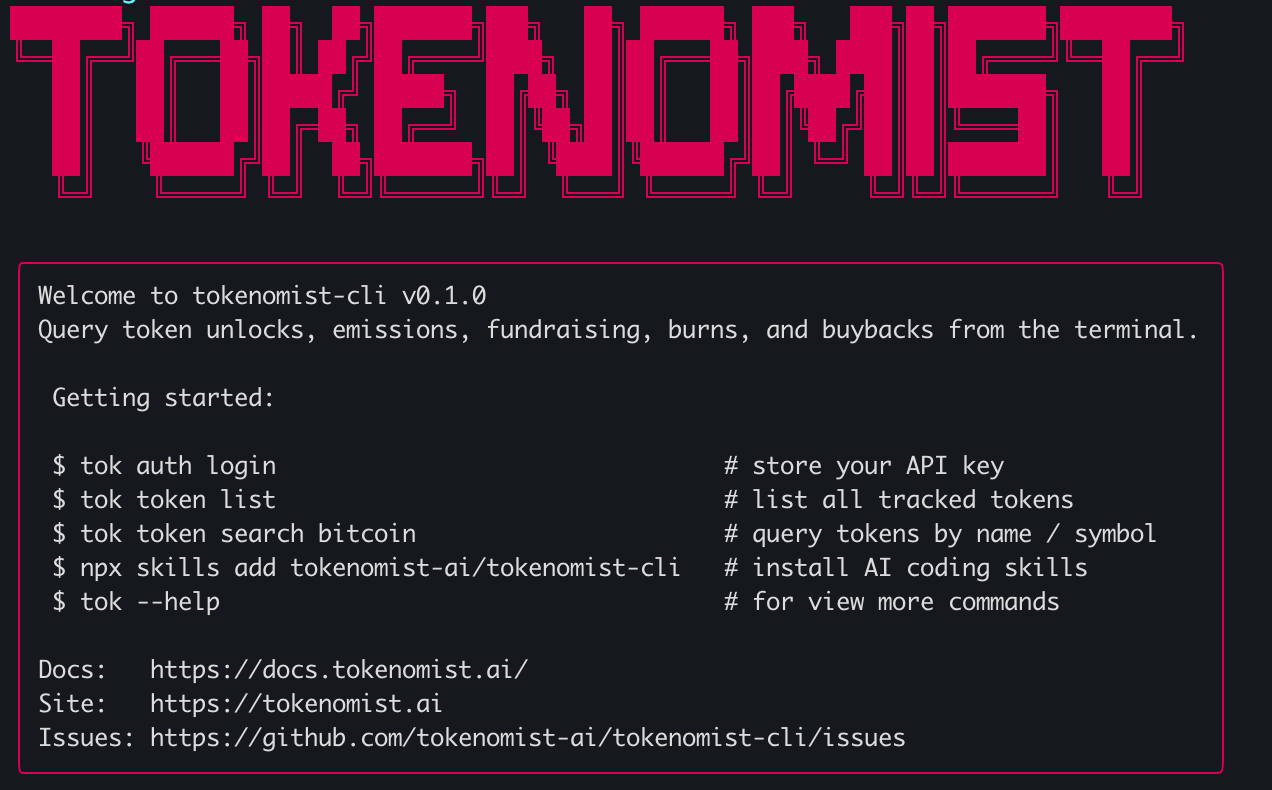
What You Can Do in 30 Seconds
See the next big unlocks worth watching:
$ tok unlock upcoming --min-value-to-market-cap 0.01
Pull a token's monthly emissions to CSV:
$ tok emission daily arbitrum --start 2026-04-01 --end 2026-04-30 --output csv
Find out who funded Solana, at what valuation:
$ tok fundraising detail solana
That's the kind of research that used to take twenty minutes. Now it's three commands.
Just Ask. Your AI Agent Does the Rest.
Pair tok with Claude Code, Codex, Cursor, or Gemini CLI and you can skip the syntax. Ask in plain English. Your agent picks the right command, runs it, and hands you back the answer.
One-time setup. Add the Tokenomist skills to your agent:
That installs six ready-to-use skills covering token overviews, unlock analysis, emissions, fundraising, burns and buybacks, and allocation breakdowns. Your agent can now reach for them automatically whenever you ask a tokenomics question.
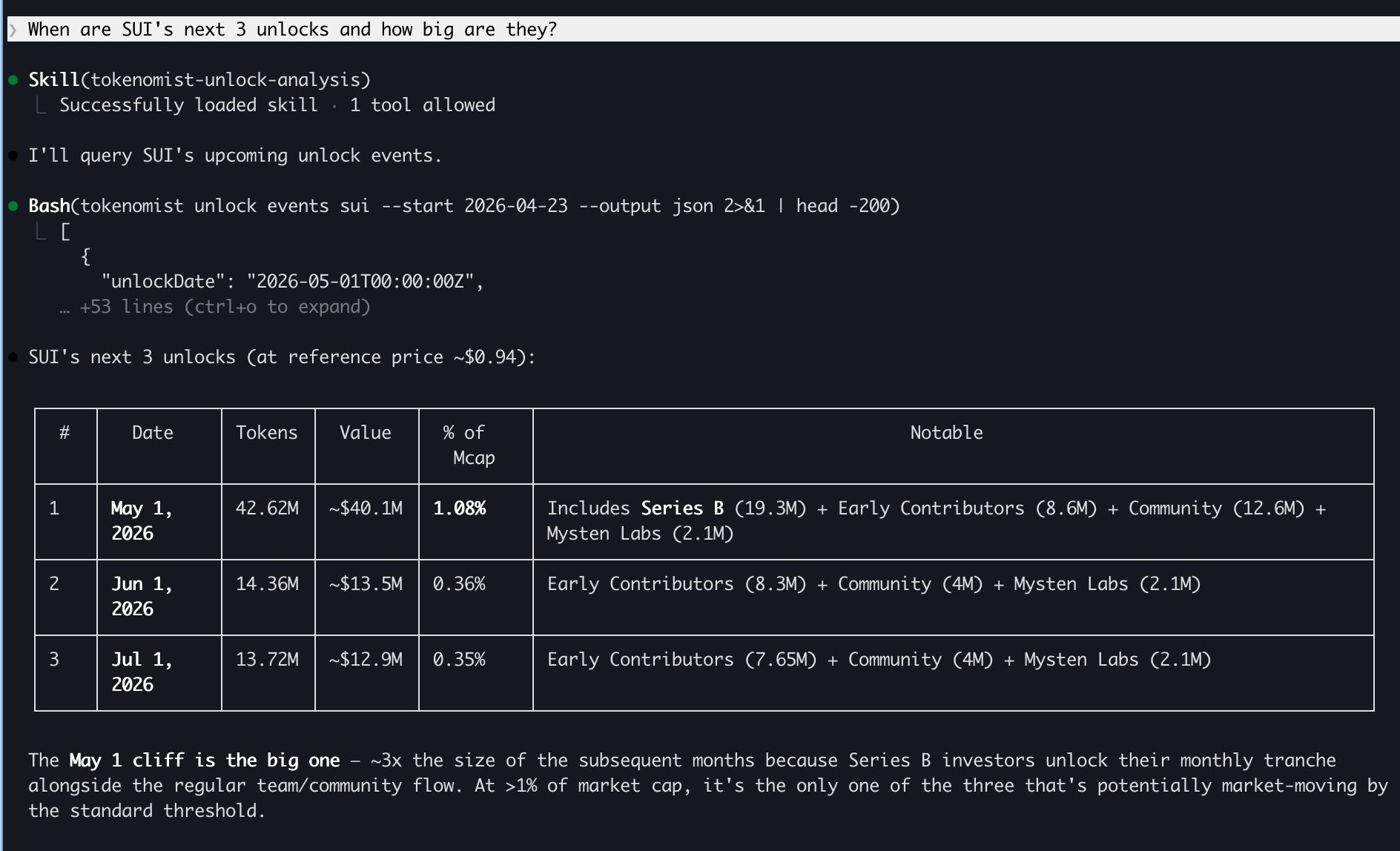
"When are SUI's next 3 unlocks and how big are they?"
Your agent runs tok unlock events sui and replies with a clean breakdown:
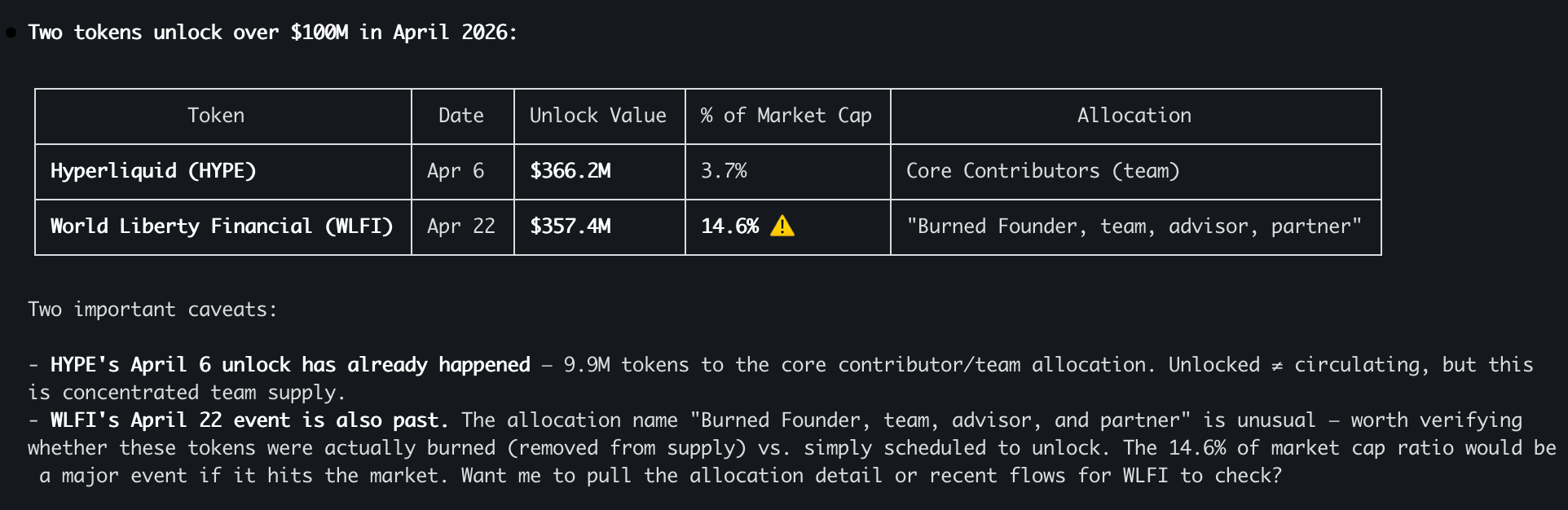
"Which tokens unlock over $100M this month?"
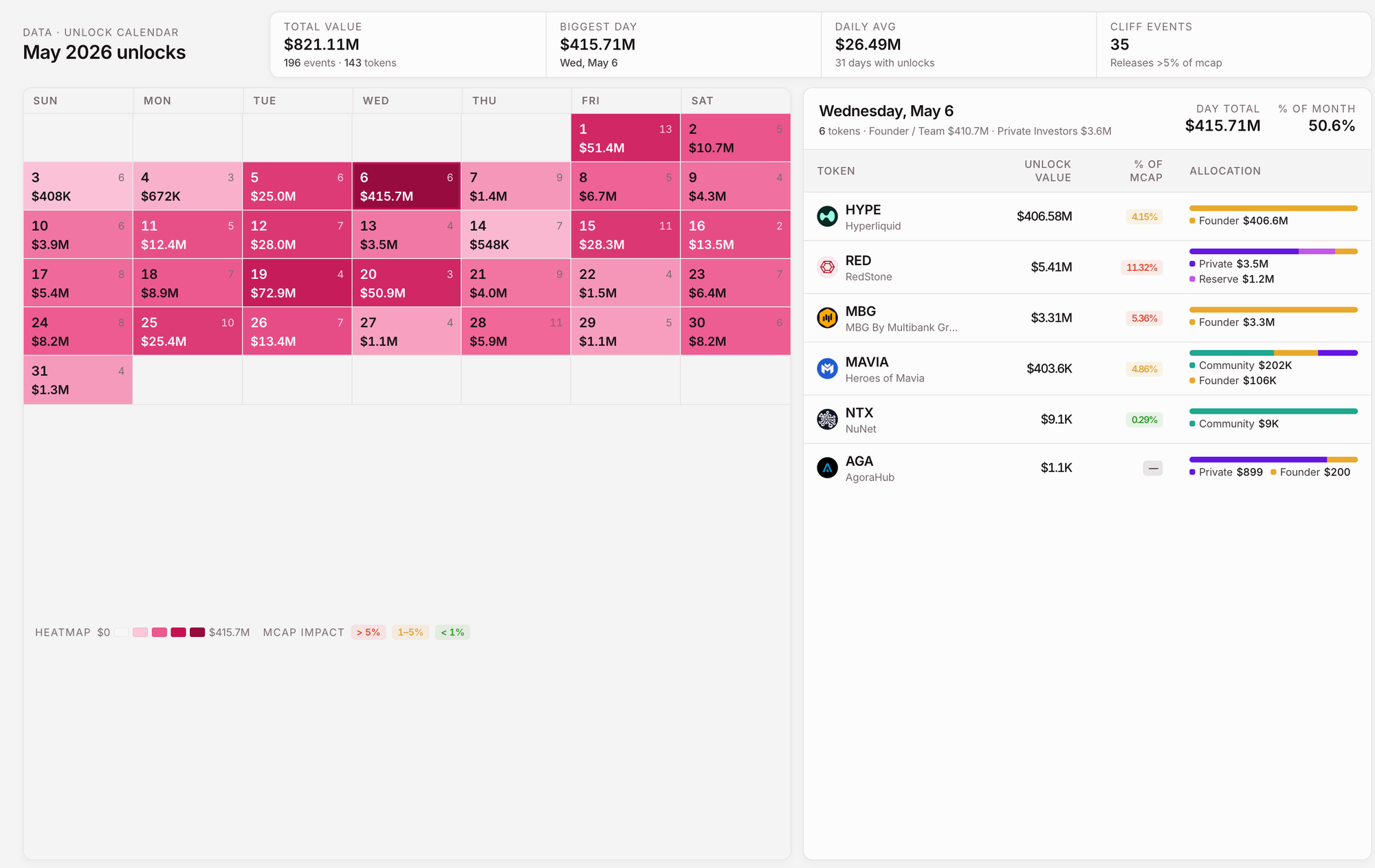
"Build me a single-viewport dashboard for next month's unlocks."
Your agent queries the data and generates a shareable HTML dashboard. Calendar, allocations, market-cap impact, all in one view. Ready to publish, share, or screenshot.
Or Run It Direct: Pure CLI Power
Prefer command-line precision? Every dataset is one keystroke away.
$ tok allocation detail arbitrum shows exactly who holds ARB, and how much is still locked:
Token: Arbitrum (ARB)   Max Supply: 10,000,000,000

Arbitrum DAO Treasury        Reserve            3,403,750,000   34.04%  (100% locked)
Team, Future Team + Advisors Founder / Team     2,694,000,000   26.94%  (23% locked)
Investors                    Private Investors  1,753,000,000   17.53%  (23% locked)
Individual Wallets           Community          1,162,000,000   11.62%  (fully unlocked)
$ tok burn detail hyperliquid returns every HYPE burn, with type and timestamp:
Total Burned: 34,806,796.39 HYPE

Hyperliquid Onchain Burn  PROGRAMMATIC  2026-01-08      79,757.87
Hyperliquid Onchain Burn  PROGRAMMATIC  2026-01-07      68,114.84
Hyperliquid Onchain Burn  PROGRAMMATIC  2025-12-24  34,628,953.76
$ tok unlock events sui lists every cliff event with USD value and impact ratio. Done.
Get Started in Under a Minute
npm install -g @tokenomist-ai/tokenomist-cli
tok auth login
tok token list
Using an AI agent? Add the skills in one line:
npx skills add tokenomist-ai/tokenomist-cli
Done. You're querying live tokenomics data from your terminal, or straight from your AI agent.
Source code : https://github.com/tokenomist-ai/tokenomist-cli
Ready to Try It?
The Tokenomist API powers everything tok does, and you'll need an API key to use the CLI. Grab one in seconds and you're ready to run every command in this post.
Read More in Documentation : https://docs.tokenomist.ai/cli/getting-started
Start your free API trial at tokenomist.ai
No credit card. Full access to unlocks, emissions, fundraising, and supply data. Your API key unlocks the CLI the moment you authenticate with tok auth login.
Stop clicking through tabs. Start trading on data your competition doesn't have.
Recommend Article